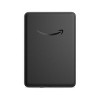


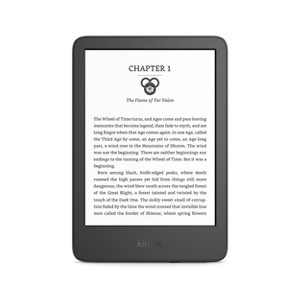
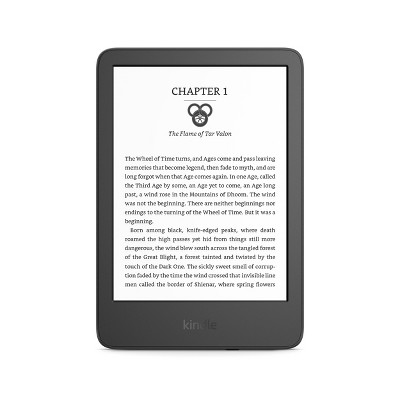
Amazon Kindle 6" e-Reader (2024) - Black
$109.99
In Stock
Eligible for registries and wish lists
At a glance
About this item
Additional product information and recommendations
Discover more options
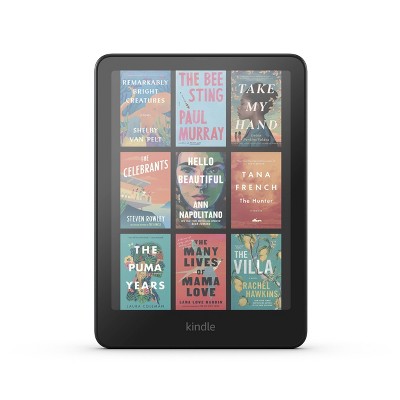
Frequently bought together
- $69.99reg $79.99 Sale3.4 out of 5 stars with 1877 ratings
- Bestseller$29.99 - $99.99Get the Apple AirTag 2nd generation at $18/mo. on select items4.1 out of 5 stars with 98 ratings



Guests also viewed

Related Categories
Guests are saying
The Kindle is a highly portable and user-friendly e-reader that has received praise for its lightweight design, impressive battery life, and clear screen quality. Guests appreciate its ability to hold a vast library of books, making reading accessible anywhere. While some have experienced issues with battery performance and ads on the screensaver, the overall sentiment leans towards satisfaction, especially for those looking to transition from physical books to digital reading.
Summary created by AI from text of reviews reflecting recent feedback provided across different star ratings (includes incentivized reviews)
4.5 out of 5 stars with 265 reviews
86% would recommend
66 recommendations
5 out of 5 stars
Thumbs up graphic, would recommend
2 July, 2026Verified purchase
Great would reccomend!
Really good, easy to set up. I had no problem at all I love my kindle. It’s very small and easy to transport.
1 reply from Amazon Devices Customer Support team - 4 days ago
Hi Dezie, Thank you so much for the wonderful review! We're thrilled to hear you love your Kindle and that setup was a breeze — that's exactly the experience we aim for. You've hit on one of our favorite things about the Kindle — its compact, lightweight design makes it the perfect reading companion wherever life takes you. Whether it's your commute, a coffee shop, or curled up at home, your entire library fits right in your hand. A few tips to make the most of your new Kindle: Check out Kindle Unlimited for access to millions of titles if you haven't already Use the adjustable font sizes and display settings to customize your reading experience Take advantage of the weeks-long battery life — charge it and forget about it! We hope your Kindle continues to bring you many great reads. Thank you for recommending it to others — happy reading!
2 out of 5 stars
1 July, 2026Verified purchase
Horrible Shipping Standard
I had this item shipped and it was poorly packaged. I will not be surprised if it is broken!
1 reply from Amazon Devices Customer Support team - 4 days ago
Hi Mickaela, Thank you for sharing your experience, and we're sorry to hear your Kindle arrived poorly packaged. That's certainly not the standard we hold ourselves to — your new device deserves to arrive in perfect condition. We understand the concern of opening a package and immediately worrying about potential damage. If you find that your Kindle shows any signs of damage or isn't functioning properly, please don't hesitate to reach out to us right away at 1-888-280-4331 or through the Amazon app. We'll make sure you're taken care of with a replacement or resolution. If your Kindle is working well, we hope you enjoy the experience — the 2024 Kindle in Matcha is a beautiful device with a brighter display, faster page turns, and weeks of battery life. It's designed to make reading effortless wherever you go. We've noted your feedback about packaging, and we take shipping quality seriously. Your input helps us improve the experience for all customers. Happy reading!
1 out of 5 stars
Thumbs down graphic, would not recommend
9 June, 2026Verified purchase
(no review title)
This kindle does not hold a charge. It only lasts less than a few days with moderate use.
1 reply from Amazon Devices Customer Support team - 28 days ago
Hello. Thank you for your feedback on the Kindle. I understand how frustrating it can be when a device doesn't meet your battery life expectations, especially when Kindle e-readers are designed for extended reading sessions between charges. Several factors can significantly impact battery performance. Here are some troubleshooting steps to try: turn off Wi-Fi or enable Airplane Mode when not downloading new content, as a constant wireless connection drains the battery faster. Reduce the front light brightness or use the auto-adjusting light feature if your model supports it. Close any active Bluetooth connections, such as Audible audiobook streaming, when not in use, as Bluetooth audio playback consumes more power than standard reading. Additionally, ensure your Kindle software is up to date, as updates often include battery optimization improvements. If your device is still draining unusually fast after trying these steps, this may indicate a battery hardware issue, particularly if the device is older or has been exposed to extreme temperatures. Amazon Customer Service is available 24/7 and can assist with additional troubleshooting steps. You can reach them at 1-888-280-4331. I hope this helps improve your reading experience. Thank you.
5 out of 5 stars
8 June, 2026
(no review title)
Kindle paperwhite is perfect for the beach!
5 out of 5 stars
Thumbs up graphic, would recommend
4 June, 2026Verified purchase
A Kindle for Other Members of Your Family
My grandson loves to read! One day he noticed my Kindle…he quickly figured out how to use it, and how to download the Ninja Turtle books on my Kindle, using my Kindle Unlimited account. Go figure…😂. It was definitely time to invest in a Kindle for him.
5 out of 5 stars
Thumbs up graphic, would recommend
14 May, 2026Verified purchase
(no review title)
good
2 out of 5 stars
3 May, 2026Verified purchase
(no review title)
not what i was expecting , for that amount of money.
1 reply from Amazon Devices Customer Support team - 2 months ago
Dear Lori, Thank you for sharing your thoughts on the Amazon Kindle 6" e-Reader. We're sorry to hear it didn't meet your expectations, and we'd love to understand more about what fell short so we can help. The Kindle 6" e-Reader is designed to be a great entry point into digital reading, offering features like a glare-free display, adjustable front light, weeks of battery life, and access to millions of titles. However, we understand that everyone's reading needs are different, and sometimes a different model may be a better fit. If you're looking for an enhanced experience, here are a few options worth considering: Kindle Paperwhite — Features a larger 7" display, waterproof design, adjustable warm light, and faster page turns for a more premium reading experience. Kindle Colorsoft — Offers a vibrant color display that brings book covers, highlights, and graphic novels to life in a whole new way. We'd also love to know what specific features you were hoping for — whether it's screen size, display quality, storage, or something else entirely. That way, we can help point you in the right direction. Thank you for your feedback, and we hope we can help you find the perfect reading experience. Happy reading!
5 out of 5 stars
Thumbs up graphic, would recommend
1 May, 2026Verified purchase
(no review title)
Loved this for books I dont want to buy!!
1 out of 5 stars
Thumbs down graphic, would not recommend
28 April, 2026Verified purchase
(no review title)
Stopped working two months after she received for Xmas
1 reply from Amazon Devices Customer Support team - 2 months ago
Hello, and thank you for your feedback on the Kindle Paperwhite. We're sorry to hear that the device stopped working just two months after it was received as a Christmas gift, and we completely understand how disappointing that must be, especially for a gift that was meant to be enjoyed for years to come. The Kindle Paperwhite is designed to be a reliable, long-lasting e-reader featuring a 7-inch glare-free display with 300 ppi resolution and a battery life of up to 12 weeks on a single charge. When a Kindle Paperwhite becomes unresponsive or appears to have stopped working, there are several troubleshooting steps that may help restore it. First, try performing a hard restart by pressing and holding the power button for approximately 40 seconds until the screen flashes or the device restarts on its own, then release the button. This can resolve many issues where the device appears frozen or unresponsive. If the screen remains blank, connect the Kindle to a power source using the original USB cable and let it charge for at least 30 minutes to an hour, as a completely drained battery can sometimes cause the device to appear non-functional. After charging, attempt the hard restart again by holding the power button for 40 seconds. If the device powers on but the screen appears stuck or frozen on a particular page, try holding the power button for 7 seconds to bring up the power dialog, and then select "Restart." Additionally, check that the charging cable and adapter are functioning properly by testing them with another device, as a faulty cable can prevent the Kindle from charging and may give the impression that the device itself has stopped working. If none of these steps bring the device back to life, the good news is that the Kindle Paperwhite comes with a standard 1-year limited warranty from Amazon. Amazon Customer Service is available 24/7 at 1-888-280-4331 to assist with warranty claims and further troubleshooting. We want to make sure this gift can be enjoyed as intended, and we hope this information helps get the Kindle Paperwhite back up and running. Thank you!
5 out of 5 stars
Thumbs up graphic, would recommend
6 April, 2026
Love it
I have the matcha green and I love it I love everything about it
5 out of 5 stars
28 March, 2026Verified purchase
(no review title)
Love love love my new kindle
5 out of 5 stars
22 March, 2026Verified purchase
(no review title)
Nice and works well for my needs
5 out of 5 stars
Thumbs up graphic, would recommend
10 March, 2026Verified purchase
(no review title)
It's easy to use and small enough to put in your purse to carry anywhere you want to.
5 out of 5 stars
Thumbs up graphic, would recommend
8 March, 2026Verified purchase
(no review title)
It works good
5 out of 5 stars
6 March, 2026Verified purchase
(no review title)
Love it!
1 out of 5 stars
Thumbs down graphic, would not recommend
5 March, 2026Verified purchase
(no review title)
The battery is very poor. I was advertised as having a ridiculously long battery life. It doesn’t hold a charge at all, and I got it a month ago to.the.day. I woke up this morning, hoping to read for a bit before work, and it didn’t charge overnight.
1 reply from Amazon Devices Customer Support team - 4 months ago
Hello! Thank you for your feedback on the Kindle e-reader. I'm truly sorry to hear that the battery is not performing as advertised especially when you've only had the device for a month. Here are some troubleshooting steps to help address the charging and battery life issues you're experiencing: 1. Check Your Charging Cable and Adapter Try using a different USB-C cable and power adapter to rule out a faulty charger. Cables can develop internal breaks even when they appear fine on the outside. Make sure you're using a compatible Amazon power adapter. Third-party chargers may not deliver adequate power to charge the device properly overnight. Inspect the charging port on the Kindle for any debris or lint and gently clean it if needed. During a successful charge, a charging icon should appear on the Kindle screen and the indicator light should turn amber (charging) or green (fully charged). If you don't see these indicators, the issue may be with the cable or adapter. 2. Recalibrate the Battery Sometimes the battery percentage does not calibrate accurately, especially if the device has been charged frequently without fully draining. To recalibrate: Charge the device uninterrupted to 100% and keep it charging for at least 2 more hours. Use the device until it shuts off completely due to low battery. Leave the device for at least 3 hours before charging again. Charge it again uninterrupted to 100%. Use the device again until it shuts off due to low battery. Charge it once more uninterrupted until the indicator light turns green. Resume normal use. 3. Restart the Device Press and hold the power button for up to 40 seconds until the device restarts. This can clear temporary software issues that may be affecting battery performance. 4. Reduce Battery Drain Settings Lower the front light brightness (ideally below level 15), as high brightness is one of the most common causes of faster-than-expected battery drain. Turn off Wi-Fi when not actively downloading books, as continuous Wi-Fi scanning can significantly drain the battery. 5. Check for Software Updates Go to Settings > Device Options > System Updates to ensure your Kindle is running the latest firmware, which can include battery optimization improvements. 6. Warranty Consideration Since your Kindle is only one month old, it is well within the standard warranty period. Battery charging issues qualify as a manufacturer-induced defect (MID), which means you may be eligible for a free replacement device. Devices reported defective within 30 days are generally replaced with a brand new unit. If these steps do not resolve the issue, I strongly encourage you to reach out to Amazon Customer Support, who are available 24/7 and can assist with further diagnostics. You can reach them at 1-888-280-4331. I hope this helps get your Kindle back to the long battery life it was designed to deliver. Thank you for your feedback, and I'm sorry for the inconvenience!
5 out of 5 stars
14 February, 2026Verified purchase
(no review title)
Hard to find a case that fits it, but love it
5 out of 5 stars
4 February, 2026Verified purchase
(no review title)
Always the place to buy apple and electronics. Delivery is fast and accurate
5 out of 5 stars
Thumbs up graphic, would recommend
20 January, 2026Verified purchase
(no review title)
This reader is great! It's small and fits in a small purse! It has a great range of light settings.
5 out of 5 stars
Thumbs up graphic, would recommend
19 January, 2026Verified purchase
(no review title)
i love my kindle and it has totally replaced my phone and the hours i used to spend on my phone. i wish it would count my screen time on the kindle.