

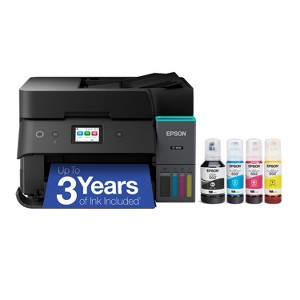
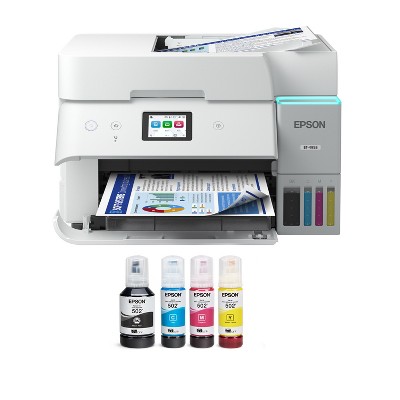
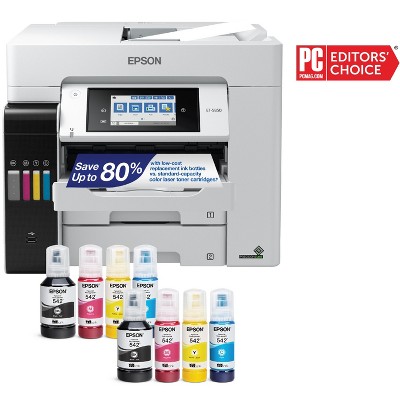
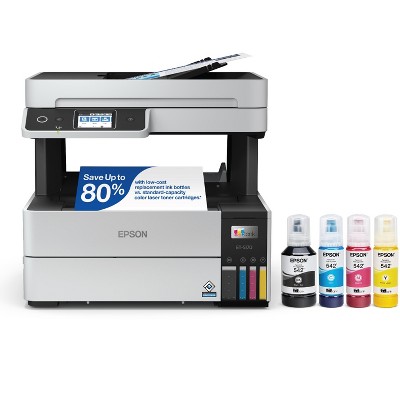
Epson EcoTank ET-4950 Wireless All-in-One Color Supertank Printer – Black
$499.99
In Stock

Free & easy returns
Return this item by mail or in store within 30 days for a full refund.
Sold & shipped by Epson
Eligible for registries and wish lists
About this item
Additional product information and recommendations
Discover more options
- $179.99was $189.99 New lower price4.2 out of 5 stars with 11 ratings
- $149.99reg $249.99 Sale3.9 out of 5 stars with 164 ratings
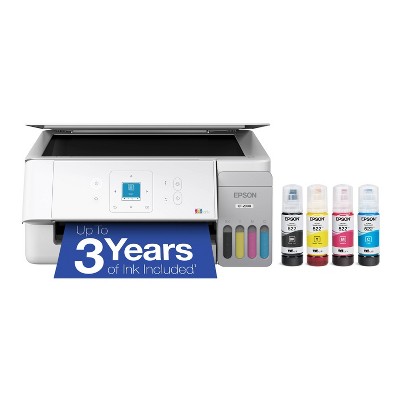
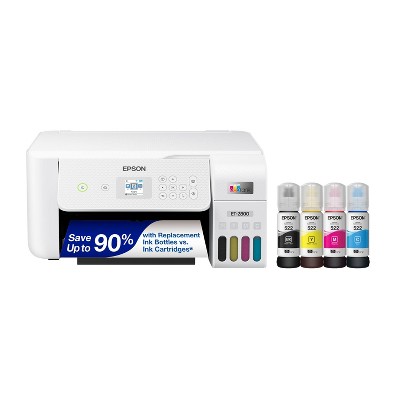
Frequently bought together
- $99.99 - $144.99reg $129.99 - $179.99 SaleGet the AirPods 4 starting at $13/mo. on select items3.9 out of 5 stars with 4679 ratings



Guests also viewed
- $99.99 - $144.99reg $129.99 - $179.99 SaleGet the AirPods 4 starting at $13/mo. on select items3.9 out of 5 stars with 4679 ratings
- $499.99reg $1,799.99 Sale
Related Categories
Guests are saying
The Epson EcoTank ET-4950 is a versatile all-in-one printer that excels in print quality, ease of use, and cost efficiency with its refillable ink tank system. Guests appreciate its fast printing capabilities, wireless connectivity, and the convenience of mobile printing. While some have experienced connectivity issues, many find the setup straightforward and the overall performance reliable for both home and small business needs. This printer is ideal for those looking to reduce ink costs and enjoy high-quality prints.
Summary created by AI from text of reviews reflecting recent feedback provided across different star ratings (includes incentivized reviews)
4.2 out of 5 stars with 102 reviews
1 out of 5 stars
11 July, 2026
originally posted on epson.com

Completely useless printer
Unfortunately a zero out of five rating isn't possible. Relentless connectivity and printing issues that simply should not be happening in a modern printer. It keeps rejecting my WiFi credentials even though they're correct. But then restarting the printer makes it connect. Then when I print even a simple one-page document, it pulls in a sheet of paper, starts printing on it and then just stops. I can see the half-printed sheet in the printer but it just sits there and over the next couple of minutes, prints it a little bit at a time. I've tried all sorts of fixes and nothing has worked.
4 out of 5 stars
11 July, 2026
originally posted on epson.com
Great Features but software install not clear/intuative.
Only issue is when downloading software it is unclear that the _Lite_NA.exe is to be used and not just choose from the selections below. Apparently I did that and had continual problems with my computer not seeing the scanner. Prints great and great mileage from print tanks. Could see the other Epson multifunction printer in my household. Probably my fault; but clearer instructions for the software install would have helped avoid my problems.
2 out of 5 stars
2 July, 2026
originally posted on epson.com
Paper Jams
Easy set up, But then, I tried printing . Continuously jams with the first page. Followed all troubleshooting steps . Still jams.
1 reply from The Epson Team team - 19 days ago
Hi Billjr, please visit www.epson.com/support/et4950 for useful product information on optimizing print settings and avoiding paper jams. Your Epson includes free technical support for the life of your product. Our Epson Support Team would be happy to help you and can be reached at (562) 276-4382; Hours: Monday – Friday, 7 a.m. to 4 p.m. (PT). We appreciate your purchase, and we value your feedback. Sincerely, Joseph – The Epson Team.
1 out of 5 stars
20 June, 2026
originally posted on epson.com
BAD
Impossible to set up with laptop. Will be returning it. Spent hours trying to do so. Won't print from laptop and scanner won't add. Can't even connect to Epson anymore either. Falsely claims password is wrong even though it worked before.
1 reply from The Epson Team team - 25 days ago
Hi Ed007, we apologize for the disappointing experience you’re having installing your Epson ET-4950. We can help. Please call the Epson Support Team at (562) 276-4382; Hours: Monday – Friday, 7 a.m. to 4 p.m. (PT). Sincerely, Alissa A. – The Epson Team.
1 out of 5 stars
19 June, 2026
originally posted on epson.com
document feeder is a joke
I have had nothing but issues with the feeder of this printer making copies, It will not feed the paper through the automatic feeder it jams each time, I truly wish I had taken it back sooner, trying to get help is not easy and picking up the top and copying individual sheets could have been done with a less expensive machine. If you want to be able to copy even 5-7 sheets through the adf buy a better machine.
1 reply from The Epson Team team - 1 month ago
Hi Farmer30815, we are sorry to hear you are having issues with your Epson printer. Your ET-4950 includes a 1-year limited warranty plus free technical support for the life of your product. Our Epson Support Team would be happy to hear from you and can be reached at (562) 276-4382; Hours: Monday – Friday, 7 a.m. to 4 p.m. (PT). Sincerely, Joseph – The Epson Team.
4 out of 5 stars
16 June, 2026
originally posted on epson.com
Okay so far
Setup was straightforward. I ran into problems connecting the printer wirelessly so I'm using the USB cord instead, which works well. (Then again, I'm not planning to print from my phone or iPad, so this is not a big deal to me.) Haven't really had a chance to gauge print quality yet, although the pages I have printed look good. I'm a little dubious regarding how long the supply of ink will last, but we'll see.
5 out of 5 stars
29 May, 2026
originally posted on epson.com
Works Good and Full Featured
I bought my new ET-4950 to replace an older Epson ET-3600 printer. It took me a while to hook everything up but it was worth it. I can now print and scan from both my Apple OS desktop computer and my Windows 11 laptop that I use for work. I can also send and receive faxes using my Apple OS computer without using a 3rd party internet fax program. I don't use fax very often but it is nice to have, especially since newer Apple computers no longer support fax modems. I have dial-up phone service via MagicJack and the fax feature worked fine when I tested it. I have not yet used the automatic document feeder but it will be nice to have for scanning in some old paper records that I eventually want to convert to digital format. The printer is connected to my home network. I have not yet tried the wi-fi operation but that is not really important to me as my home office is wired via ethernet cables and I have no need to print from my smartphone.. I considered getting a less expensive EcoTank model but the ET-4950 was the only one that had all the features I wanted. Plus I bought it on sale at a major national retailer. So the price difference between the ET-4950 and the next least expensive EcoTank model was not that much. Ink filling on the ET-4950 is much better than on my old Epson Ecotank printer. The old one tended to spill ink when I moved it to gain access to its side mounted ink tanks (very inconvenient because my printer resides in a cabinet). However, the new ET-4950 has convenient front mounted ink tanks accessible via a flip down panel. I didn't spill even a drop of ink when filling it before startup. I don't print, scan or fax documents very often. But its nice to have a unit that does everything, so that I do not have to drive to one of those copy and print stores when the need arises.
5 out of 5 stars
27 May, 2026
originally posted on epson.com
Easy setup
I am over 80 YO and not very high tech/computer smart. I didn't have any problems setting up the ET-4950 printer. I printed out the whole manual, all 307 pages for future reference. Still some things I don't know about the printer but think I can figure it all out.
4 out of 5 stars
3 May, 2026
originally posted on epson.com
Easy to use.
I did get it connected and it so far, is working pretty good.
5 out of 5 stars
21 April, 2026
originally posted on epson.com
The Scans were great!
I immediately needed to scan A Lot of material. The Epson performed flawlessly. This machine was a very good replacement for my earlier Epson!
2 out of 5 stars
16 April, 2026
originally posted on epson.com
BAD WiFi Connectivity/Reliability
I have had this printer for two plus months now. Yes it prints awesome pictures and text. But WiFi connectivity is very bad! I have to repeatedly re-establish my wifi connection on this unit. WiFi reliability is VERY BAD! YES my router is less than 3 feet away from the printer. Another note: Good luck printing directly using an Android product. You must use the Epsom app 97% of the time! Definitely rethinking I made the wrong purchase.
1 reply from The Epson Team team - 3 months ago
Hi JMatt64, we're sorry for the disappointing experience you had with your Epson printer. Your ET-4950 includes free technical support for the life of your product. Please give us the opportunity to assist you by calling our Epson Advanced Support Team. We can be reached at 1-800-241-5794; Hours: Monday – Friday, 7 a.m. – 4.p.m. PT. We're here to help. Sincerely, Joseph – The Epson Team.
5 out of 5 stars
13 April, 2026
originally posted on epson.com
First Rate
Easy ordering and excellent printer
5 out of 5 stars
7 April, 2026
originally posted on epson.com
Great printer, highly recommended
I am 5 months into the purchase and it works great. Easy set up and wifi connection. Low volume printing here with 10 ish pages per day and is just right. It replaced my Canon Pixma Megatank G7020 which was a horrific printer. My Epson before the Canon was bullet proof and this one is great so I am sold on Epson.
5 out of 5 stars
1 April, 2026
originally posted on epson.com
Painless
Easy setup and easy to use. On a Mac platform, it’s basically plug and play.
2 out of 5 stars
31 March, 2026
originally posted on epson.com
Do not buy
Paper feed keeps jamming, Bran new off the self today. Verry disappointed
1 reply from The Epson Team team - 4 months ago
Hi 5678, we are sorry to hear you are having issues with your Epson printer. Your ET-4950 includes a 1-year limited warranty plus free technical support for the life of your product. Our Epson Support Team would be happy to hear from you and can be reached at (562) 276-4382; Hours: Monday – Friday, 7 a.m. to 4 p.m. (PT). Sincerely, Joseph – The Epson Team.
5 out of 5 stars
29 March, 2026
originally posted on epson.com
Accurate, Fast, Economical, Dependable
I purchased this printer and installed it about 6 months ago. I won't be going back to any other ink jet brand. This was set up wirelessly quickly and it is replete with options to suit what ever you want to print. It is a fast printer, double sided too. I print every day and it looks like I won't need to refill the tanks for a long time. One you get an Epson Eco Tank printer there is no going back to the others
1 out of 5 stars
27 March, 2026
originally posted on epson.com
It Is Junk. Do not buy
I have an EP-4958. It sucks! Never have I had so many problems and issues. Even the diagnostic tool does not work effectively. For what I saved in ink costs I have used So much more paper and ink I could have purchased a gazillion cartridges.....Install was not easy. Extremely cumbersome and time consuming. Definitely not user-friendly. If I had the money I would just junk this thing and go elsewhere.
1 reply from The Epson Team team - 4 months ago
Dear tet68vet, we appreciate your business and are sorry to hear you are not completely satisfied with your purchase. Your Epson ET-4958 includes free technical support for the life of your product. Please reach out to our Epson Support Team for assistance at (562) 276-4382; Hours: Monday – Friday, 7 a.m. to 4 p.m. (PT). We’re here to help. Sincerely, Joseph – The Epson Team.
5 out of 5 stars
20 March, 2026
originally posted on epson.com
Loving this printer
Great product! Would buy again!
1 out of 5 stars
4 March, 2026
originally posted on epson.com
Installation Sucks!
Installation is a nightmare! There are persistent adds for a weekly or annual premium subscription. Printing from your PC requires an entirely separate process and downloading drivers.. I am considering returning the unit!
1 reply from The Epson Team team - 5 months ago
Hello Florida Frustration, we apologize for the disappointing experience you’ve encountered with your Epson printer. Your Epson includes free technical support for the life of the product. If you've been asked to pay for technical support, please go to www.epson.com/Support/fraud to learn how to file a complaint against the company that charged you. If you still need assistance, our Advanced Epson Support Team can be reached directly at 1-800-241-5794. Sincerely, Joseph – The Epson Team.
4 out of 5 stars
13 February, 2026
originally posted on epson.com
So far so good! Only one minor complaint.
We don't print photos or need super high quality color but basic print quality is great for our basic home needs. I wish the cycling white light on the on/off button could be turned off, our office is a cubby off of our bedroom and i had to tape a piece of paper over it. We've only had it two weeks but so far it's all good, hopefully it will last a long time!